
How to Make a Drake Burning Bridges AI Video
Upload one photo and make the person in it the main character of a Drake Burning Bridges video. Follow the generation and download steps.
Upload one photo to Drake Burning Bridges AI and make the person in it the main character of a Drake Burning Bridges video. This guide covers the photo requirements, one-time credits and download steps. The video template is supplied; you do not need to write a prompt or upload a reference video.
1. Choose a clear photo
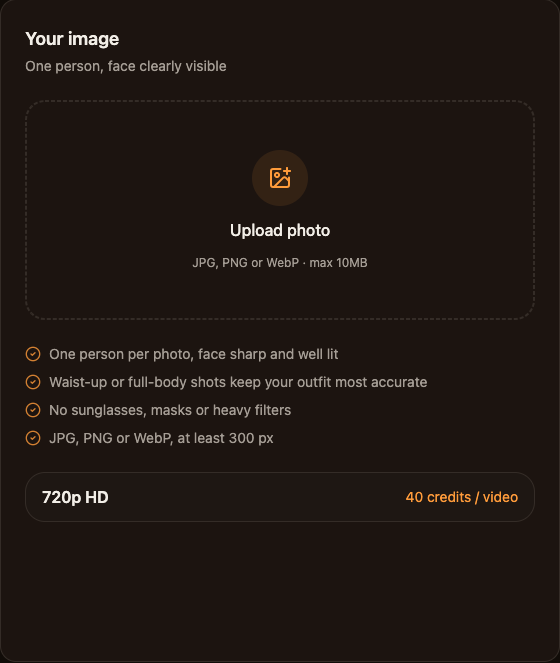
Use one person per image with an uncovered, front-facing face and even lighting. Keep enough of the upper body visible to describe the outfit. Upload JPG, PNG or WebP up to 10 MB. For better quality, choose an original image at least 300 pixels on its shorter side. For examples of what to check, read our photo requirements guide.
2. Sign in and upload your photo
Open the generator, sign in and select Upload photo. Check that the image shows the intended person clearly. Replace the photo before starting if the face is covered, blurred or too small.
3. Check your credits and video pack
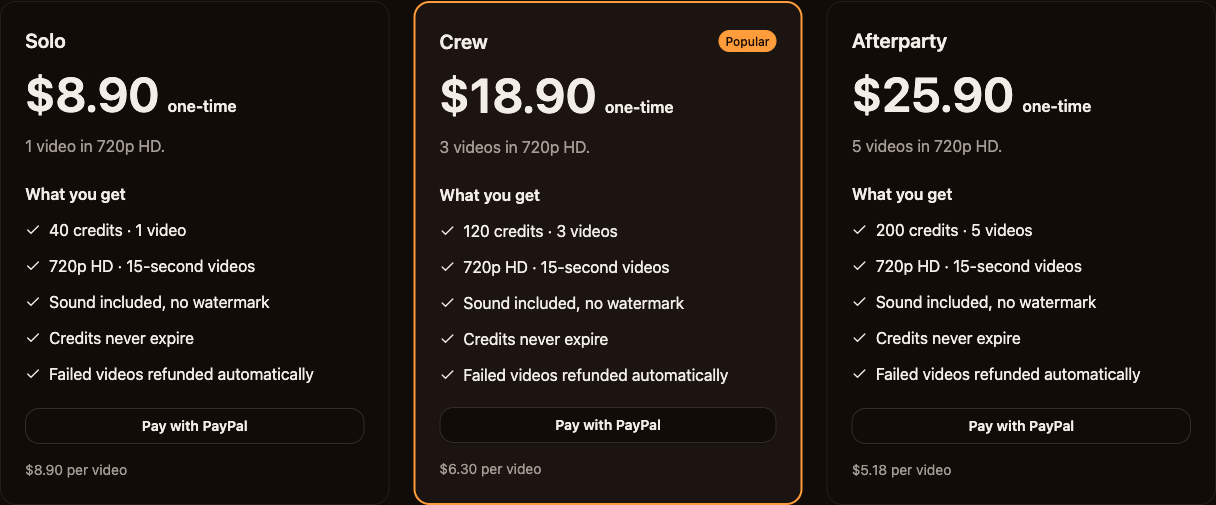
Each generation uses 40 credits. Buy a one-time pack if your balance is lower than 40 credits. Signing in does not grant free credits. Packs cover 1, 3 or 5 generations, with no subscription. Compare the current packs on the pricing page, then return to the generator when you are ready.
4. Start generation and follow History
Select Make my remix. The task uses 40 credits when it is created. Uploading a photo alone does not use generation credits. Follow its status in History. Processing time can vary; wait for the task status before submitting another attempt.
5. Review and download your video
The configured output is a 15-second, 720p MP4 in 16:9 with sound. Watch the complete result, including the closing seconds. Check the face, hands, outfit and movement, and listen to the sound in the downloaded file. The preview does not guarantee the same image details or soundtrack in your result.
6. The Drake Burning Bridges AI template and prompt
This tool supplies reference scene material and prepared instructions. There is no custom prompt editor or reference-video upload. Your main input is the photo. If you want to understand the style before generating, read the trend explanation.
7. If a task fails
Check History for the task status and any available error details. Generation credits are returned when a task is marked as failed. This is a credit return, not an automatic refund of the pack payment. A clearer photo may help with an unclear input, but not every failure is caused by the photo. Contact support if you need help with a task or credit balance.
Related guides
Make your own Burning Bridges AI video
Use one clear photo and the prepared party template. Review the video pack options before you generate.